
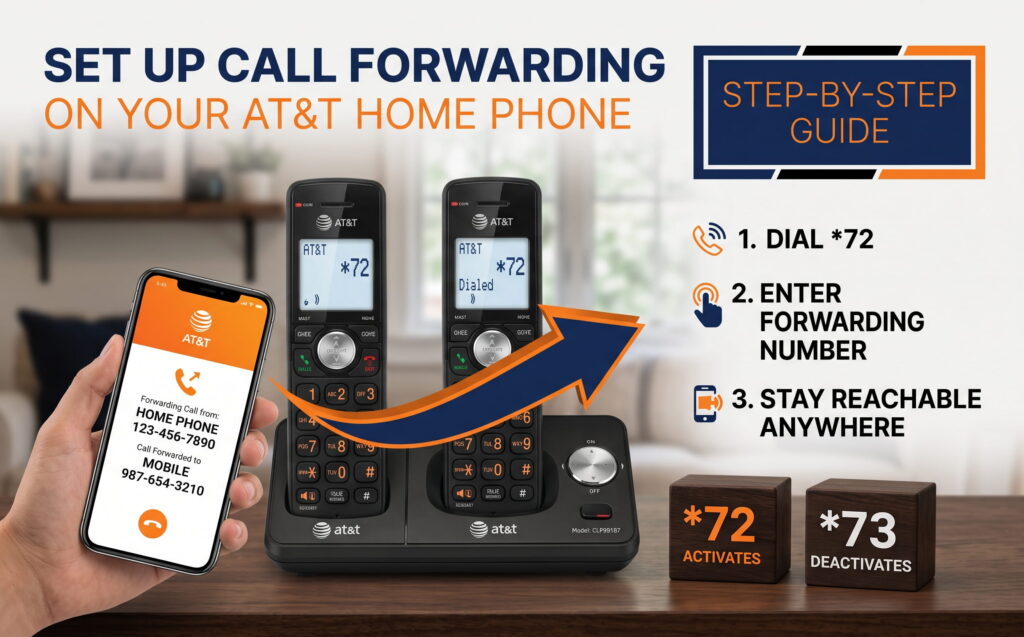
How to Set Up Call Forwarding on Your AT&T Home Phone
Learn how to activate AT&T call forwarding using star codes, manage ring times, and route your incoming landline traffic directly to a mobile device or live answering team.
Call forwarding on an AT&T home phone automatically redirects incoming calls from your landline to another phone number using simple keypad star codes like *72 and *73. Activating this feature ensures your business stays reachable when you leave the office, helping protect your lead pipeline without changing your primary phone number.
AT&T Star Code Cheat Sheet
| Forwarding Feature | Activation Code | Deactivation Code |
|---|---|---|
| Standard (All Calls) | *72 (or 72#) | *73 (or 73#) |
| Selective Forwarding | *63 | Manage List |
| Ring Time Adjustment | *47 | N/A |
How to Turn On AT&T Call Forwarding (*72)
To turn on call forwarding on an AT&T home phone, dial *72 from your landline, enter your 10-digit target number, and wait for the system confirmation call to answer. This process connects your main landline directly to an external destination like a personal cell phone or an office support team.
Pick up your home phone handset, dial *72 (or 72#), and wait for a clear dial tone.
Input the phone number where you want calls forwarded. Include 1 + area code for long-distance numbers or the full 10-digit number if required in your region.
Listen for the confirmation tone. The system will automatically place a test call to the target number. Once answered, forwarding is activated.
How to Turn Off AT&T Call Forwarding (*73)
To turn off call forwarding on an AT&T home phone, dial *73 from your landline and listen for the confirmation tone. Deactivating this feature immediately returns all incoming call traffic back to your primary home phone instrument.
1. Pick up your landline receiver and listen for a dial tone.
2. Dial *73 (or 73#).
3. Wait for the confirmation tone before hanging up.
AT&T Call Forwarding Options and Features
AT&T provides several landline forwarding variations designed to fit specific home or business routing needs. Selecting the proper feature ensures your callers receive a seamless response even when your main line is occupied.
Routes all incoming call traffic instantly. Activated with *72 and deactivated with *73.
Sends calls to another line only when your main phone is in use. Requires setup through AT&T support.
Redirects traffic only after a specific number of unanswered rings. Configured via support.
Routes only specific phone numbers from a pre-set list. Activated using *63 directly from your phone.
How to Adjust Ring Time Before Forwarding (*47)
To adjust the ring time before call forwarding triggers, dial *47 on your AT&T landline and enter a specific ring code. Adjusting ring duration allows you enough time to answer local calls while ensuring unanswered callers do not hang up before the transfer completes.
- Code 30: Allows 5 rings before forwarding
- Code 42: Allows 7 rings before forwarding
- Code 60: Allows 10 rings before forwarding
What to Expect When Call Forwarding Is Active
Active call forwarding alters how your landline manages incoming traffic while keeping normal outgoing functions intact. Understanding these daily operational changes helps you prevent lost messages or confused callers.
- Outgoing Calls: You can place outgoing calls normally from your landline while forwarding is enabled.
- Brief Ringing: Your home phone may ring briefly once to notify you of an incoming call, but you cannot pick up the call from the landline.
- Voicemail Handling: Incoming calls bypass your landline voicemail entirely. If the destination number does not answer, the destination's voicemail takes the message.
Frequently Asked Questions
How do you turn off call forwarding on an AT&T home phone?
To deactivate call forwarding on an AT&T home phone, dial *73 or 73# from your landline, wait for the system confirmation tone, and hang up receiver.
Can you still make outgoing calls when AT&T call forwarding is active?
Yes. Active call forwarding only redirects incoming calls. You can still pick up your landline handset and place outgoing calls normally at any time.
What is the star code for selective call forwarding on AT&T?
The star code for selective call forwarding on AT&T is *63. This feature allows you to build a specific list of contact numbers that will forward, while other callers ring through normally.
Never Miss a Lead with 24/7 Live Answering
Forwarding calls to a personal cell phone can interrupt your workday and lead to missed customer calls. Route your landline traffic directly to Jill's Office for professional live call support around the clock.
Book your discovery call today